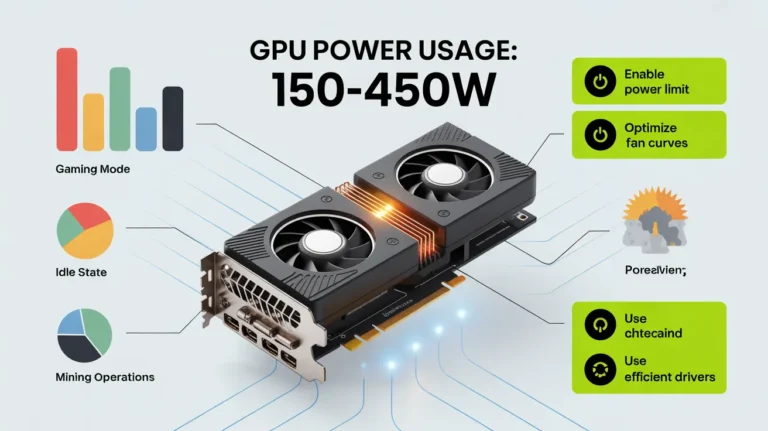
How Much GPU Usage Is Normal? (Guide & Breakdown 2025)
Normal GPU usage depends on your task. Idle usage is usually 1–10%, light tasks 20–40%, and heavy gaming or rendering 80–100%. Consistently maxed-out usage may indicate a high workload or potential performance issues.
Understanding normal GPU usage helps you identify performance issues, avoid unnecessary worry, and ensure your system is running safely and efficiently.
What Does GPU Usage Actually Mean and How Is It Measured?
GPU usage shows how much of your graphics card’s power is being used at any moment. It tells you whether the GPU is working lightly, normally, or under full load. Monitoring tools measure this in percentage (%), from 0% to 100%.
- GPU Usage (%)
Shows how much workload your GPU is handling in real time. - Measured Through Monitoring Tools
Software like MSI Afterburner, Task Manager, or HWiNFO reads usage directly from the GPU sensors. - High Usage = Heavy Tasks Running
Games, rendering, and AI tasks naturally push GPU usage close to 100%. - Low Usage = Light or CPU-Bound Tasks
Browsing, idle state, or CPU bottlenecks keep usage low even if the GPU is strong.
| Tool | What It Measures | Why It’s Useful |
| Task Manager | Basic GPU load, temperature | Simple and built into Windows |
| MSI Afterburner | Real-time usage, clocks, voltage | Most accurate for gaming & tuning |
| HWiNFO | Deep GPU sensor data | Best for experts and diagnostics |
| NVIDIA/AMD Software | Vendor-accurate usage stats | Ideal for troubleshooting performance |
The official NVIDIA FrameView GPU monitoring tool is a reliable utility to measure GPU performance, power, temperatures, and usage directly from the source. NVIDIA
Also Read: What Does GPU Bound Mean?
What Is Considered Normal GPU Usage in Different Workloads?

Normal GPU usage depends on the task. Light tasks keep it low, while heavy work pushes it higher. As long as usage matches the type of workload, it’s completely normal and safe.
- Gaming (Esports / Light Games)
40–70% usage is normal because these games are easy to run.
- AAA Games (High Graphics)
80–100% usage is perfectly normal since these games demand more power.
- Video Editing & Rendering
90–100% is expected during exports and heavy effects.
- AI, ML & Compute Tasks
Often 100% because these tasks fully load the GPU cores.
- Browsing, Streaming, or Idle
0–20% usage is normal since the system is not doing graphic-heavy work.
Also Read: Is BRAW GPU Accelerated?
How Do GPU Usage, Temperature, and Performance Relate?
GPU usage, temperature, and performance are tightly connected. Higher usage creates more heat, and if the temperature gets too high, the GPU slows down to protect itself. This slowdown can drop FPS and hurt performance.
| GPU Temperature | Performance Impact | Meaning |
| 30–50°C | Normal (Idle/Light Tasks) | Cool and healthy |
| 60–75°C | Full Performance | Ideal gaming range |
| 75–85°C | Slight Warm-up | Still safe for most GPUs |
| 85–90°C | Throttling Possible | Performance starts dropping |
| 90°C+ | Unsafe Range | Needs urgent cooling fix |
What Factors Can Change or Affect Normal GPU Usage?
Many things can raise or lower GPU usage, including settings, resolution, system balance, and background activity. These factors decide how hard your GPU needs to work for any task.
- Resolution & Graphics Settings
Higher settings make the GPU work harder, increasing usage. - CPU Bottlenecks
A slow CPU can limit the GPU, causing low or unstable usage. - VRAM Usage
When VRAM is full, GPU performance drops or usage becomes unstable. - Background Processes
Recording tools, overlays, or apps like Chrome can raise GPU usage. - Driver Optimization
Old or broken drivers often cause abnormal usage or low performance. - Cooling & Airflow
High temps make the GPU throttle, lowering usage and FPS. - Power Limits
If the GPU hits power limits, usage may drop even in heavy games.
| Factor | Effect on GPU Usage | Why It Happens |
| High Resolution | Raises usage | GPU renders more pixels |
| Low CPU Speed | Lowers usage | The CPU can not feed the GPU fast enough |
| Full VRAM | Causes drops/spikes | GPU struggles to load assets |
| Background Apps | Raises usage | Extra GPU tasks running |
| Old Drivers | Unstable usage | Poor optimization |
| High Temps | Lowers usage | GPU throttles to cool down |
| Power Limits | Caps usage | Hardware limit reached |
When Is High GPU Usage (90–100%) Normal?
High GPU usage is completely normal when you are doing heavy tasks. It means your GPU is being used fully and giving maximum performance. This is expected in gaming, rendering, and AI workloads.
| Task / Scenario | Typical GPU Usage | Why It’s Normal |
| AAA Gaming | 90–100% | Great detail graphics load the GPU fully |
| 4K Gaming | 95–100% | The GPU must render a large pixel count |
| Video Rendering | 100% | GPU accelerates encoding & effects |
| AI / ML Tasks | 100% | Compute workloads use all GPU cores |
| VR Gaming | 90–100% | High FPS + dual display output |
When Is High GPU Usage NOT Normal?
High GPU usage is not normal when your PC is idle, running light apps, or performing tasks that should not load the GPU. If usage stays high without a clear reason, it usually signals a problem that needs fixing.
- Idle Usage Above 20%
Your GPU should stay near 0% when the PC isn’t doing anything heavy. - High Usage While Browsing or Watching Videos
Usually caused by faulty drivers, background apps, or browser GPU bugs. - Sudden Spikes to 90–100%
May happen due to malware, crypto miners, or unstable software. - High Usage + Low FPS
Often a sign of thermal throttling, power limits, or system bottlenecks. - Overlays or Background Software
Recording tools, RGB apps, and screen capture programs can push usage up. - High Usage at Desktop
GPU load at the desktop usually means corrupted drivers or a miner running.
| Abnormal Situation | GPU Usage | Possible Cause |
| Idle but high usage | 20–60% | Malware, miner, background app |
| Low FPS but high usage | 90–100% | Overheating or throttling |
| Browsing with a high load | 30–70% | Browser GPU bug, video codec issue |
| Spikes at the desktop | 80–100% | Faulty drivers or hidden programs |
| Game minimized, but the GPU is high | 70–100% | Background rendering or overlay |
Also Read: How Many Watts Does a GPU Use?
How Can You Fix Abnormal or Unstable GPU Usage?
Abnormal GPU usage is usually caused by bad drivers, overheating, hidden apps, or malware. Fixing it is simple: update drivers, clean the system, remove extra GPU tasks, and check cooling to restore normal performance.
- Update GPU Drivers
New drivers fix bugs, crashes, and wrong GPU load readings. - Remove Malware or Crypto Miners
Hidden miners often keep GPU usage high even when idle. - Close Heavy Background Apps
Streaming, overlays, browser tabs, and recorders can cause high usage. - Improve Cooling & Airflow
Lowering GPU temps stops throttling and stabilizes usage. - Fix CPU Bottlenecks
A faster CPU or reduced background load helps the GPU work normally. - Reset NVIDIA/AMD Panel Settings
Wrong 3D settings can cause unnecessary GPU load. - Reinstall Drivers (DDU Method)
Cleans old files and fixes corrupted driver issues.
Also Read: What is NBody Calculation GPU?
FAQ’s:
Is 100% GPU usage bad for the GPU?
No, 100% GPU usage is normal during gaming, rendering, or AI tasks and does not damage the GPU if temperatures are safe.
Should GPU usage always be high while gaming?
Yes, High GPU usage during gaming means the GPU is fully utilized and delivering maximum performance.
Can low GPU usage cause low FPS?
Yes, Low GPU usage often indicates a CPU bottleneck, power limits, or incorrect game settings, reducing performance.
Why is GPU usage high but performance still low?
This usually happens due to thermal throttling, power limits, or VRAM issues, causing the GPU to slow down despite a high load.
Does GPU usage affect GPU lifespan?
High usage alone does not reduce lifespan; excessive heat, poor cooling, and unstable power are the real risk factors.
Conclusion:
Normal GPU usage depends entirely on your workload, from low percentages during idle tasks to full utilization in gaming and rendering. High usage is not harmful when temperatures are controlled. Monitoring usage, fixing bottlenecks, and maintaining proper cooling ensures stable performance and a long GPU lifespan.